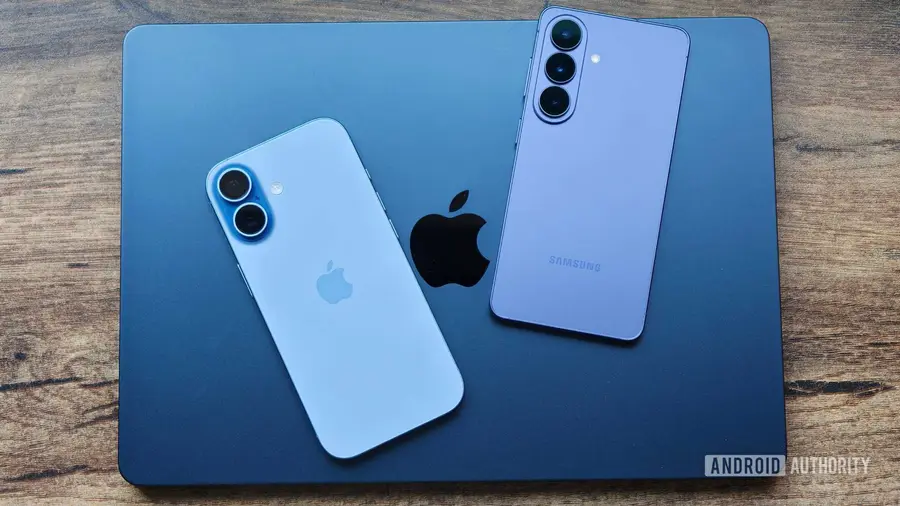
Managing multiple devices across different ecosystems can be challenging, especially when it comes to keeping your data organized and accessible. For anyone juggling an Android phone, an iPhone, and a Mac, relying solely on platform-specific applications can lead to disarray. Fortunately, there are several cross-platform apps that streamline this process, ensuring you remain productive throughout your day. Here are ten must-have applications that will help you stay on top of your tasks and information.
1. Bitwarden: Your Ultimate Password Manager
Bitwarden stands out as one of the top free password managers available. It’s typically the first app I install on any new device. This app securely stores all of my login credentials and allows me to generate new ones easily. The best part? It automatically syncs across my devices, so I never have to worry about accessing my accounts.
In addition to password management, Bitwarden offers a Secure Notes feature where I can store sensitive information. Whether it's software license keys or personal notes, everything is safely kept in my vault. Furthermore, Bitwarden Send is a handy tool for sharing confidential information securely.
2. Google Authenticator: Managing Two-Factor Authentication
Two-factor authentication (2FA) is essential for online security, and Google Authenticator is my go-to application for managing these codes. This free app works seamlessly on both Android and iPhone, allowing me to access my authentication codes regardless of which phone I have on hand. The setup is simple, and it syncs my codes automatically. However, I do wish for enhanced security features like end-to-end encryption, which has led me to consider alternative 2FA apps.
3. TickTick: Staying Organized with To-Do Lists
TickTick is an incredible tool for keeping my tasks organized. It allows me to input any task I need to complete throughout the day, ensuring I never forget anything. The app efficiently manages my recurring tasks like bill payments and invoicing.
Available on all my devices, TickTick syncs changes in real-time, making it easy to keep track of what needs to be done. I appreciate the widget feature available on Android, iPhone, and Mac, which makes task management even more accessible.
4. Obsidian: Advanced Note-Taking
For more structured and permanent notes, I turn to Obsidian. This app is perfect for my needs as it supports offline access and is compatible with all my devices. I utilize the Remotely Save plugin to keep my notes synced, allowing me to customize the app with various plugins that enhance its functionality.
5. Notesnook: Everyday Note-Taking
While Obsidian is great for complex notes, I rely on Notesnook for my everyday jotting. This open-source notes application prioritizes privacy and offers a solid free plan with features I frequently need, such as rich-text editing and media attachments. Notesnook also syncs my notes across devices, making it easy to capture thoughts on the go.
6. Firefox: A Reliable Browser
Firefox is my preferred browser across all devices. By logging into my Mozilla account, I can access my browsing history and bookmarks anywhere. The tab sync feature is particularly useful as it allows me to switch between devices without losing my place. Although the extension support is limited on iPhone, I appreciate the browser's overall functionality.
7. LocalSend: Effortless File Sharing
Sharing files between devices can be cumbersome, but LocalSend simplifies this process. This free, open-source app works offline and allows for instant file transfers without size limitations, as long as the devices are connected to the same Wi-Fi network. LocalSend even has a web version, making it convenient for those times when I can't install native apps.
8. Raindrop.io: Organizing Bookmarks
To manage the vast number of articles I read daily, I use Raindrop.io. This bookmark manager is cross-platform and integrates with most web browsers, allowing me to save articles directly from any device. The organizational features, such as folders and tags, ensure that I can easily locate my saved content later.
9. Google Photos: Cloud Storage for Media
While I self-host my photos and videos, Google Photos serves as my primary cloud storage solution. It allows me to access important media across devices without delay, and I can also collaborate on shared folders with friends and family.
10. Google Drive: Document Storage Made Easy
For document storage, Google Drive is indispensable. It holds essential files like invoices and contracts while offering offline access, search filters, and OCR capabilities. Additionally, the built-in document scanner is handy for digitizing paperwork quickly.
These ten apps are essential for anyone managing multiple devices across various platforms. If you find yourself in a similar situation, consider integrating these applications into your routine. Most are free to use, with options for premium features if desired.
Source: https://www.androidauthority.com/android-iphone-mac-user-10-best-apps-3687654/