Title: Switching From Gmail to Proton Mail: A Confusing One-Week Experience
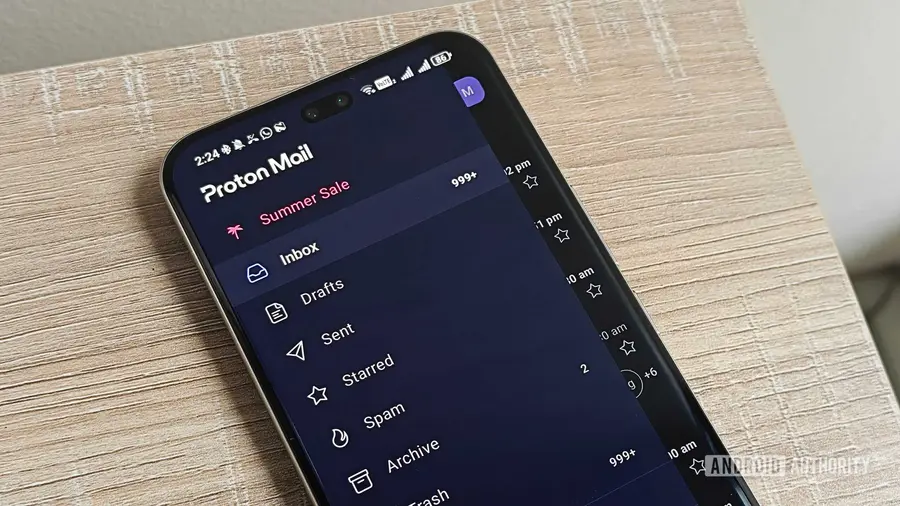
Gmail may be the most dominant email service in the world, but that doesn't mean it is without flaws. Many criticisms target Gmail, especially regarding privacy and the frequent ads. Recently, the integration of Gemini into the Gmail inbox has also become a widely discussed issue. In this context, Proton Mail emerges as an alternative that emphasizes privacy. I was initially hesitant to switch, considering I had been using Gmail for years. However, upon learning that I could transfer my Gmail address to Proton, I finally decided to try this more security-focused email app.
Ease of Switching to Proton Mail
Proton makes the transfer process from Gmail easy. There are no complicated settings or redirects needed; just use the transfer tool to connect your Gmail address. Since my primary Gmail address was already quite cluttered, I decided to use Proton with a secondary address that is more important for work. I created a new Proton account because my existing one was already linked to my main Gmail. After registering the new account, I received an email from Proton that allowed me to connect my Gmail account.
This way, I could not only receive emails from my Gmail inbox in Proton but also send emails using my Gmail address. Interestingly, the sent emails also included the same signature as my Gmail address.
Storage Issues That Arise
However, some challenges quickly appeared. The transfer tool imports emails from Gmail, which can easily consume the limited free storage on Proton. Initially, users get 500MB of free storage. If you download the mobile app, the total storage increases to 1GB. Meanwhile, Gmail reduces storage for some accounts to 5GB, but that amount is still much larger compared to Proton. My long-standing Gmail account has a 15GB quota and currently uses about 7.3GB.
As expected, Proton's storage ran out during the import process. Fortunately, the process stopped at around 800MB, so I could still receive new emails. However, I realized I would not have access to my old email history unless I seriously managed storage in Gmail or opted for a paid Proton plan.
Advantages of Using Proton Mail
Behind these challenges, there are some benefits to using Proton over Gmail. For example, you won’t receive sponsored emails that often appear in Gmail inboxes. There is no disruption from using Gemini in your inbox, and Proton Mail also blocks trackers from newsletters and mailing lists. The service offers end-to-end encryption and zero-access, meaning the company cannot read or access your emails. From a privacy perspective, Proton’s advantages are clear.
Although Proton Mail has a clean interface, unfiltered emails quickly become a source of clutter and notification fatigue. I am used to Gmail’s email organization, which allows me to more easily sort important emails from the bulk. In Gmail, my emails are organized into Primary, Promotions, Social, and Updates tabs. While some newsletters and promotions sometimes appear in the primary tab, most are filtered out. In Proton Mail, all those emails appear in my main inbox.
Challenges in Managing the Inbox
As a result, I receive more notifications on my phone for unimportant emails. By default, Proton Mail includes an Important label, but there is no way to customize when you receive push notifications for that label. The abundance of notifications caused me to miss important emails, including appointment reminders. Additionally, email threads are a confusing issue. Proton groups emails from the same sender with the same subject into one thread, even if the emails were sent months apart. This makes it difficult to scroll through conversations and find specific emails, especially on the mobile app.
Gmail recognizes these as different conversations each month and only groups direct replies. However, Proton groups every email related to that topic. As a result, one thread can span several years, accumulating over a hundred emails.
Proton allows you to turn off conversation grouping, but if you do, all threads are removed. So, you must either deal with large groups of emails that are part of different conversations or have no linked emails at all. To manage a cluttered inbox, you can mimic Gmail’s tabs by using folders and labels in Proton Mail. However, folder setup requires a more manual approach, and free accounts have limits on the number of folders and filters that can be used.
Overall, switching from Gmail to Proton Mail may seem appealing but brings many unexpected issues. I appreciate the higher privacy and understand that it sometimes comes with a trade-off in convenience. Currently, Proton Mail has a clean interface and useful organizational features, but limited free storage and filtering restrictions can be obstacles for Gmail users who have not strictly managed their emails over the years.
Source: https://www.androidauthority.com/switching-gmail-to-proton-mail-3680430/