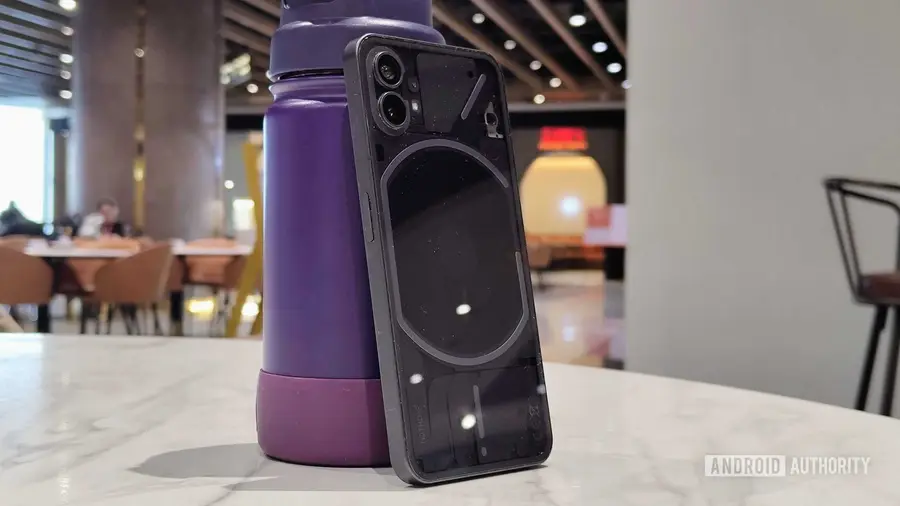
As technology advances, many users find themselves clinging to their older devices. My current daily driver is a four-year-old Nothing Phone 1, which has recently stopped receiving software updates. Despite my desire to upgrade to a new Pixel, I believe my aging device still has a couple of years of use left. Here’s how I’m maintaining its performance and extending its lifespan.
Battery Replacement: A Game Changer
The first step I took was to replace the phone's battery, which had degraded to below 75% health. Without a strong battery, my device struggled to last a full day and experienced performance throttling even during simple tasks. I opted for an official service center, and the cost was surprisingly less than a nice dinner out. This was the most significant investment I made to rejuvenate my phone.
Optimizing Charging and Accessories
To protect my new battery, I switched from a fast charger to an 18W charger from an older Pixel model. While it takes a bit longer to charge, it generates less heat, which is crucial for battery longevity. Additionally, I replaced my bulky case with a slimmer one to improve ventilation. These adjustments may seem small, but they contribute to better overall performance.
Streamlining Apps for Efficiency
One surprising factor affecting my phone's performance was the number of apps draining my battery. I took the time to review battery usage and switched to lighter alternatives for resource-heavy apps. For example, I replaced Chrome with the Brave browser, which is less demanding on storage and battery life. I also found enjoyment in using web versions of social media platforms instead of their full-fledged apps, which allowed me to uninstall several heavy applications.
System Settings for Enhanced Performance
After optimizing my hardware and apps, I delved into my phone's system settings for further enhancements. One of the first things I did was reduce the window and transition animations in the Developer Options to 0.5x, which significantly improved the user interface's responsiveness. I also decided to lower my screen’s refresh rate from 120Hz to 60Hz, as many apps were unable to fully utilize the higher refresh rate, and this compromise led to smoother navigation.
Moreover, I set a restriction on the maximum battery charge to 80-90%, which, combined with the slower charger, helps minimize heat buildup—an enemy of lithium-ion batteries. Keeping my internal storage under control is also essential; I regularly delete large files and forgotten downloads to prevent system lag. An overstuffed storage can lead to significant performance issues, causing apps to open slowly.
Additionally, I’ve been utilizing Android’s built-in Private DNS for ad-blocking, which not only enhances my browsing experience but also conserves battery life by eliminating the need for extra apps or extensions.
Future Considerations
While I haven’t yet taken the plunge into installing a custom ROM like LineageOS, it remains a possibility for those looking to extend the functionality of their devices further. However, the challenges of losing existing optimizations and certain app functionalities keep me from making that leap just yet. I am also aware that continuing to use an older device comes with security risks, as my last update was in July 2026, making me more vigilant against potential vulnerabilities.
Eventually, I plan to invest in a new phone that offers extended software support—devices now frequently promise up to seven years of updates. Until that time, I’m content with my Nothing Phone 1, especially with all the optimizations I've implemented. The longer I can wait, the better my next device is likely to be.
Source: https://www.androidauthority.com/old-android-phone-how-im-keeping-it-running-tips-3715272/