Title: An Open Alternative to NotebookLM: The Appealing and Secure Open Notebook
Introduction to Open Notebook
If you like NotebookLM but are concerned about data privacy managed by Google, then Open Notebook could be an attractive alternative for you. Although NotebookLM is considered one of the best tools for summarizing information and obtaining research data, Open Notebook offers a choice very close to the core functionality of NotebookLM. In this article, we will explore the interesting features of Open Notebook, its advantages and disadvantages, as well as how to try this tool yourself.
Main Features of Open Notebook
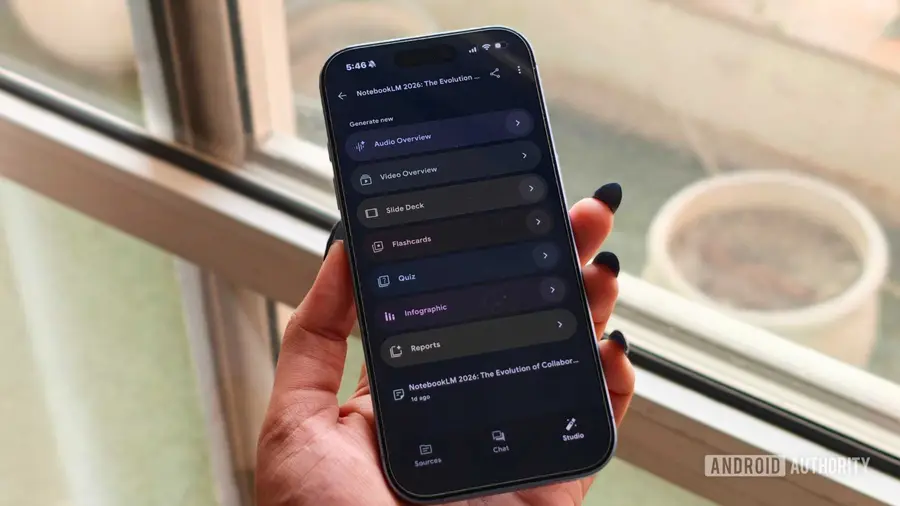
Open Notebook offers various features similar to NotebookLM. Users can upload various sources of information, ranging from PDFs to YouTube videos. Using this tool, the uploaded information will be synthesized into audio, quizzes, or even allow users to interact directly with the tool.
- Powerful Functionality: Features such as audio summaries and the ability to ask questions about your research sources are very helpful in processing information.
- Open Source Project: Open Notebook is an open source project, meaning you have full control over your data and can customize the tool according to your needs.
- Flexibility in Usage: You can run Open Notebook locally using models like Ollama or connect it to your favorite cloud-based AI models, including GPT, Gemini Pro, and others.
- No Notebook Limits: Unlike the free version of NotebookLM which limits up to 100 notebooks, Open Notebook has no such restrictions, allowing you to create as many notebooks and use various sources as you want.
Drawbacks of Open Notebook
Although Open Notebook has many advantages, there are some drawbacks to consider. First, the installation process is not entirely easy. For users unfamiliar with technology, installing Open Notebook can be challenging. I personally have experience with computers, yet manually installing Open Notebook on a Chromebook took considerable time and effort. On Windows operating systems, the process is much easier thanks to the Docker Desktop application, but it still requires basic troubleshooting knowledge.
- Limited Plug-and-Play Experience: Open Notebook is not a tool that can be used immediately without configuration. Users need to perform several manual steps to set up the tool.
- Audio Summary Podcast: Although Open Notebook offers up to four speaking voices for audio summaries, the duration of these summaries is usually shorter compared to NotebookLM. Users can adjust the duration up to 30 minutes, but the audio quality may not be as sharp as NotebookLM.
- Platform Limitations: To use Open Notebook on other devices, you need to run it through a core PC or your own cloud setup, and currently, there is no official app for Android platforms.
How to Install and Use Open Notebook
If you are interested in trying Open Notebook, here are the basic steps to get started:
- Install Docker Desktop: This will make it easier for you to run the application without having to use the command line interface extensively.
- Create a Configuration File: You need to create a configuration file that will be used to set up Open Notebook.
- Run Docker Desktop: Once Docker Desktop is running, open the configuration file and execute the necessary commands to start Open Notebook.
- Configure AI Models: Choose the AI models you want to use for chat, embedding, and other transformations.
After completing all the steps, you can start using Open Notebook to create notebooks and manage your information sources.
Conclusion: Is Open Notebook Better Than NotebookLM?
Is Open Notebook better than NotebookLM? The answer depends on your needs and how much you are willing to customize its settings. Open Notebook is an appealing choice for those who like the idea of NotebookLM but do not want their data stored on Google servers. However, for many users, NotebookLM remains the easier and more efficient option. If you don’t mind doing a bit of tinkering, Open Notebook is worth trying as a safe and flexible alternative.
Source: https://www.androidauthority.com/notebooklm-alternative-open-notebook-hands-on-3677932/