Optimizing User Experience with Chrome Autofill
In today's digital era, we all know how tedious it can be to repeatedly fill in various information. From personal data, travel details, to identification numbers, these often need to be entered again every time we make a transaction or registration. Fortunately, Google continues to innovate to make life easier for its users, especially with the autofill feature on the Chrome browser. Recently, Chrome Autofill has received some exciting updates that will save you time on mobile devices.
Chrome Autofill Feature Updates
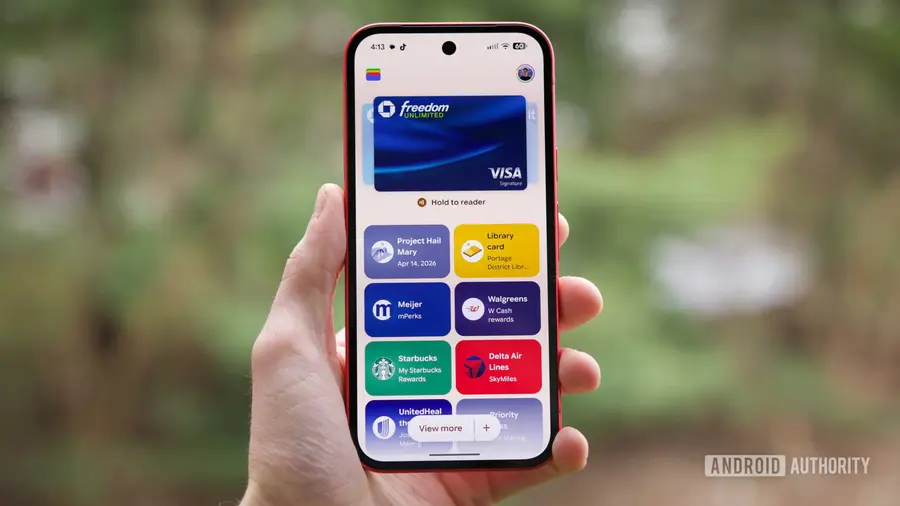
Google Wallet not only functions as a digital wallet to store your money and identity but has also evolved to support various types of data over time. At the I/O 2026 event, Google announced that they would roll out more upgrades for Wallet, and now we see Chrome's autofill feature becoming more advanced. One of the latest updates is support for automatically filling in vehicle information, including license plate numbers and VIN (Vehicle Identification Number), as well as flight details for upcoming trips.
With this update, Android and iOS users can now enjoy the convenience of automatically filling in fields related to vehicle and travel information. Although some of these features were introduced on Android last year, Google is now expanding accessibility to more users.
Deep Integration Between Chrome and Google Wallet
Chrome's autofill capabilities go beyond just vehicle information. Google also promises deeper integration between Chrome and Wallet, especially regarding travel-related data. Information such as Known Traveler Number, passport details, and driver's license numbers can now be automatically filled in on relevant web pages.
Interestingly, this integration is two-way. This means that besides Chrome being able to autofill forms on web pages with information stored in Wallet, you can also save newly entered data into Wallet the first time you input it in Chrome. This change applies to both the mobile and desktop versions of Chrome, so all users can benefit.
Full Control in the Hands of Users
One of Google's main focuses is ensuring users maintain full control over the data they store. With this update, you can decide how much and what type of data you want to save in Wallet. This includes all sensitive personal data, so you don't have to worry about your privacy and information security.
Google emphasizes the importance of privacy and provides users with tools to better manage their data. You can easily access and edit stored information, as well as decide whether to save it or not. This is a positive step taken by Google to give users peace of mind amid the need to share information digitally.
Conclusion
With all the updates and integrations offered, Chrome Autofill has become a very useful tool to simplify processes that previously took time. Users can fill in important information faster and more efficiently, whether on mobile or desktop devices. Google continues to show its commitment to enhancing user experience by providing relevant and beneficial features.
So, for those who often deal with data entry on the web, don't miss out on utilizing this autofill feature. Experience firsthand how technology can help simplify your daily life.
Source: https://www.androidauthority.com/chrome-mobile-wallet-autofill-3680126/