In today's fast-paced world, alarm clock apps play a crucial role in managing our daily routines. While many users stick to the default options available on their devices, there are superior alternatives available, such as Chrono, an open-source clock application that surpasses the standard offerings from Google and Samsung.
Why Choose Chrono?
Chrono stands out not just for its functionality but also for its user interface. When you first open the app, you are greeted with a familiar layout that features four main tabs: Alarm, World Clock, Timer, and Stopwatch. This intuitive design allows easy navigation while providing a plethora of customization options, including themes and modes that enhance the user experience.
Customization and Usability
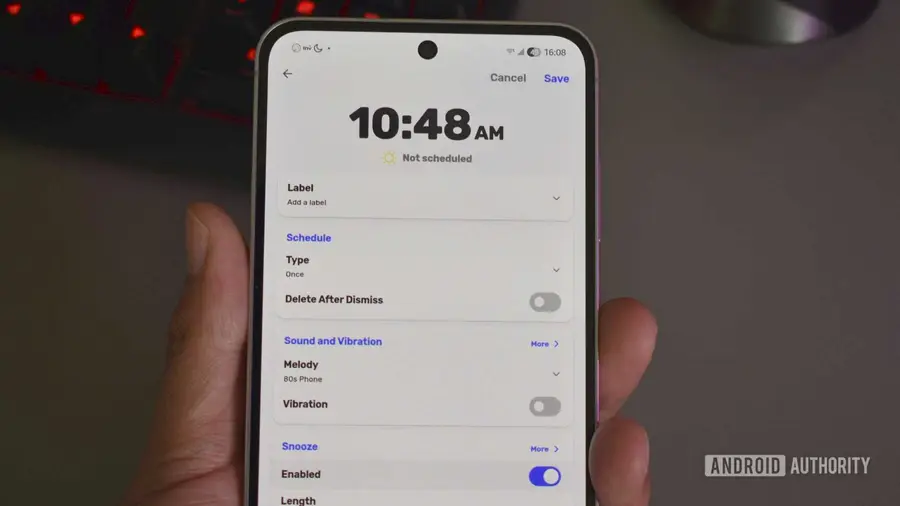
One of the key advantages of Chrono is its high level of customization. Unlike other clock apps that offer limited options, Chrono allows users to modify the appearance to suit their preferences. Users can choose from various themes, including a sleek dark mode and a Google-inspired Material design. Additionally, the app includes charming visual indicators—like day, night, and evening icons—beside your alarms, adding a touch of personality to your wake-up routine.
Unique Alarm Features
Chrono isn’t just about looks; it also excels in functionality. Users can set aggressive alarms that are difficult to ignore. For instance, you can attach specific tasks to your alarms, such as completing a puzzle or retyping a phrase, ensuring you’re fully awake before the alarm turns off. This feature is particularly effective for heavy sleepers, making it a popular choice among parents trying to get their teenagers out of bed.
How to Download and Update Chrono
Chrono is not available on the Google Play Store, but there are straightforward ways to install it. The easiest method is to use the F-Droid app store, which specializes in open-source applications. If you don’t have F-Droid installed, you can download it directly from its website, then search for Chrono within the app.
For users who prefer sideloading, you can download the Chrono APK from its official site and follow the installation instructions. Keep in mind that Android may require additional permissions to allow sideloading from unknown sources.
Updating Chrono is also simple. If you have installed it via F-Droid, the app will automatically check for updates unless you adjust the settings. For those who sideloaded the app, using Obtainium, a free open-source manager, can help you track updates and ensure you always have the latest version.
In conclusion, if you’re looking for a feature-rich and customizable alarm clock app, Chrono is an excellent choice that can significantly enhance your waking experience. Whether you’re a heavy sleeper or simply want more control over your alarms, this app is worth considering.
Source: https://www.androidauthority.com/chrono-alarm-clock-app-how-to-download-3704417/