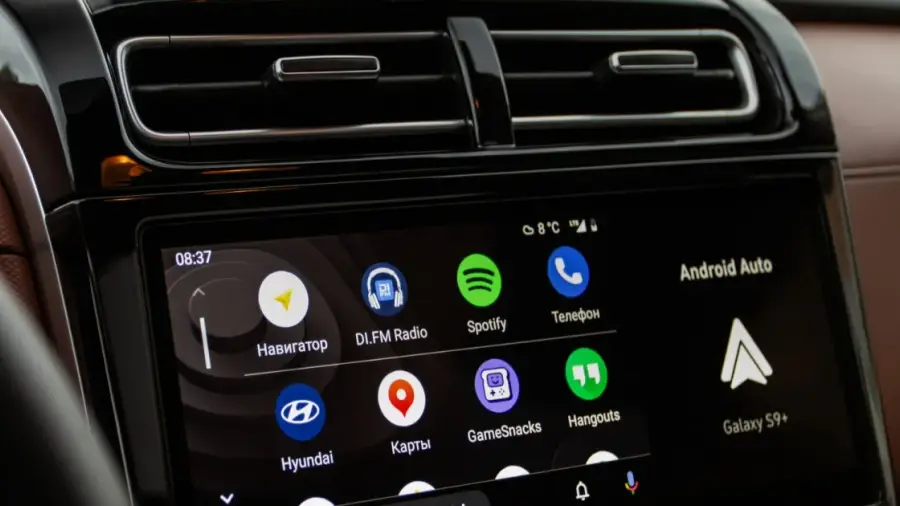
Are you tired of plugging in a cable every time you get into your car to use Android Auto? Fortunately, there's a simple solution: a small wireless adapter that transforms your driving experience into a cable-free one. This minor change can significantly enhance your daily convenience.
Each morning, the routine is the same: get in the car, search for the cable, plug it into your phone, and wait for Android Auto to connect. While this method works, there are far more practical options available in our wireless era. A tiny adapter that fits in the palm of your hand can free you from cable dependence.
Compatibility with Modern Vehicles
The good news is that most modern cars support Android Auto (and often Apple CarPlay), although not all offer a wireless version. These small adapters act as a bridge, converting your car's infotainment system into a wireless experience.
Transforming your car's Android Auto connection to wireless is straightforward. However, your vehicle must support wired Android Auto. Keep in mind, these adapters are not a solution for cars that lack Android Auto functionality altogether. Instead, they serve as an upgrade, rather than a complete overhaul for older vehicles manufactured before 2005.
How the Adapter Works
These adapters are compact devices that function as intermediaries. They are smart hardware translators that convert your wired Android system to wireless. The process is simple: plug the adapter into your car's USB port, complete the initial setup, and enjoy a more convenient start to your journey.
Once you use the Android Auto adapter, here's what happens: when you enter the car, your phone connects to the adapter via Bluetooth, authenticating your device and sharing credentials for a Wi-Fi connection. The Bluetooth connection also manages hands-free calls.
Next, the adapter creates a local 5GHz Wi-Fi Direct network that handles demanding tasks such as streaming navigation, audio, and screen data in real time. This results in a seamless automatic connection every time you get into your car, eliminating the need to fumble for your phone and cable.
Pros and Cons of Using an Adapter
There are numerous advantages to using an Android Auto adapter, but it’s not without its drawbacks. While the adapter simplifies your journey by removing the need to plug in your phone, there are some potential downsides to consider.
The connection between your car, the adapter, and your phone may not be as fast as a direct connection. This is a small trade-off, but it’s still preferable to searching for your phone while driving.
When switching from a wired connection to wireless Android Auto, be prepared for your phone’s battery to drain faster. Maintaining a constant 5GHz Wi-Fi Direct connection while running GPS and streaming music will consume battery life. For long trips, you may still need a separate charging cable.
Choosing the Right Adapter
There are several wireless Android Auto adapters available, from brands like Carlinkit, AAWireless, and Ottocast. Instead of focusing on specific brands, it’s crucial to understand the hardware specifications that distinguish high-quality adapters from disappointing ones.
Ensure that the adapter you purchase does not solely rely on a 2.4GHz Wi-Fi connection, as this can lead to slower speeds and more lag. Opt for an adapter that supports 5GHz to stream maps and audio smoothly at the same time.
You should also consider an Android Auto adapter with a detachable USB cable. Models with a built-in USB connector can obstruct access to other ports or protrude awkwardly due to your car's dashboard or console design.
Investing in a wireless Android Auto adapter is one of the best upgrades for your car, as it fundamentally changes something you engage with daily. The cost is relatively low, installation takes only a few minutes, and your navigation app will be ready to use before you leave the parking space.
Source: https://telset.id/how-to/cara-mudah-ubah-android-auto-kabel-ke-nirkabel-pakai-adapter