In today’s digital landscape, the threat of account hacking often begins with subtle signs that users might overlook. From unsolicited OTP requests to unusual credit card charges, spotting these early warnings can be crucial in preventing minor issues from escalating into serious identity theft.
Recognizing Unwanted Password Reset Requests
If you receive a password reset request or a two-factor authentication (2FA) code via SMS or email that you did not initiate, it’s a strong indication that someone is attempting to access your account. This might mean that the hacker already possesses your main credentials. They may use tactics such as prompt bombing, inundating your device with numerous notifications, or employing phone spoofing techniques. Remember that while 2FA adds a layer of security, SMS and email codes are still vulnerable to phishing attacks. It is advisable to change your password immediately and consider transitioning to a more robust multi-factor authentication method, like biometric verification or a physical security key.
Login Alerts and Suspicious Activity
Receiving notifications about login attempts when you are not trying to access your account is another red flag. Change your password right away and ensure your recovery methods are up to date. Some platforms allow you to view active sessions and locations where your account has been accessed. If you notice unfamiliar devices or locations, log out from all devices immediately and update your credentials. Be cautious, as legitimate sessions may appear suspicious if you are using a VPN.
Unusual Device Behavior
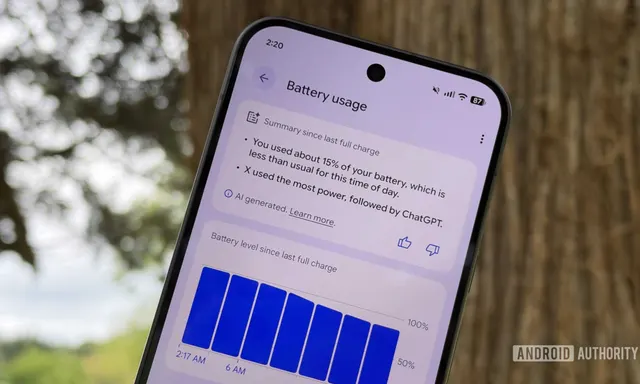
If your phone or computer begins to behave erratically, it’s essential to investigate. Warning signs include a rapidly depleting battery, unexpected heating, the screen lighting up without reason, or the camera and microphone indicators activating. Other suspicious behavior might involve longer-than-usual shutdown times, applications crashing, and unexplained pop-ups or permission requests. This could indicate malware infestation, but it may also stem from benign hardware or software issues. Begin by checking for system and application updates to address known bugs. If issues persist, run a malware scan on your device.
Unexpected Applications and Increased Spam
Discovering unfamiliar applications on your device can be alarming. Such apps could be spyware or other forms of malware designed to steal your information or track your activities. Sometimes, these programs are hidden from the main screen or disguised as harmless apps. Regularly audit the applications on your device, reviewing their permissions and settings.
Additionally, if you notice a sudden spike in spam calls, texts, or phishing emails, it could signal that scammers are actively targeting you. This might suggest a data breach or some other form of account compromise. Malicious actors often exploit stolen information to make their communications appear more credible. Stay vigilant by monitoring data breach notifications, using dark web monitoring tools available in password managers, or checking resources like Have I Been Pwned.
Monitoring Financial Transactions
When hackers gain access to your financial accounts, such as debit or credit card information, they often test the waters with small transactions to ensure your payment credentials are still valid. Be wary of any trial charges, even if they are just a few cents. Regularly review your account statements, as these small transactions may not always appear in your account history, making them easy to overlook.
Signs of Account Access
If you open your email or messaging app to find messages marked as read that you don't recall viewing, it could indicate that someone else has accessed your account. Other warning signs include contacts reporting that they received suspicious content from you, such as phishing links or spam messages, or discovering emails in your sent folder that you did not send. If you suspect unauthorized access, change your password immediately.
Account Lockouts and Unusual Content Recommendations
Unexpectedly being locked out of your account might suggest that a hacker has taken control. This situation can also arise if there have been too many failed login attempts. The same applies to social media accounts that are suddenly blocked. Report this to the platform and attempt to recover your account as soon as possible.
Similarly, if your Netflix, Spotify, or YouTube account begins suggesting content that does not align with your usual preferences, or if you see items in your viewing history that you did not watch, it may indicate that someone else has accessed your account. While this might seem minor, it can lead to more significant issues if your data is compromised. Change your password and, if possible, log out from all devices.
Recognizing the signs of a compromised account is a crucial first step. If you identify any of the aforementioned indicators, don’t hesitate to take action. Change your passwords, enable stronger multi-factor authentication, and thoroughly check your devices. Prompt responses can prevent financial loss and protect your digital identity from further misuse.
Source: https://telset.id/how-to/9-tanda-akun-dibobol-yang-sering-diabaikan-pengguna