The recent launch of Android 17 has introduced a variety of features for Pixel users, but not all functionalities are available yet. One eagerly anticipated addition is the Pause Point, a new tool aimed at curbing excessive app usage and doomscrolling. This feature intends to help users reflect on their app usage habits before diving into their favorite apps. While we await its official rollout, there are several strategies you can employ right now to regain control over your smartphone habits.
Understanding the Pause Point Feature
Pause Point is designed to interrupt your automatic app usage by providing a 10-second pause when you open certain applications. This short break encourages users to reconsider their motivations for accessing the app. Additionally, it allows for setting a timer on app usage and suggests alternative activities for your time. A unique aspect of this tool is that it requires a phone restart to disable, making it harder to revert to old habits.
Admitting and Identifying Your Usage Habits
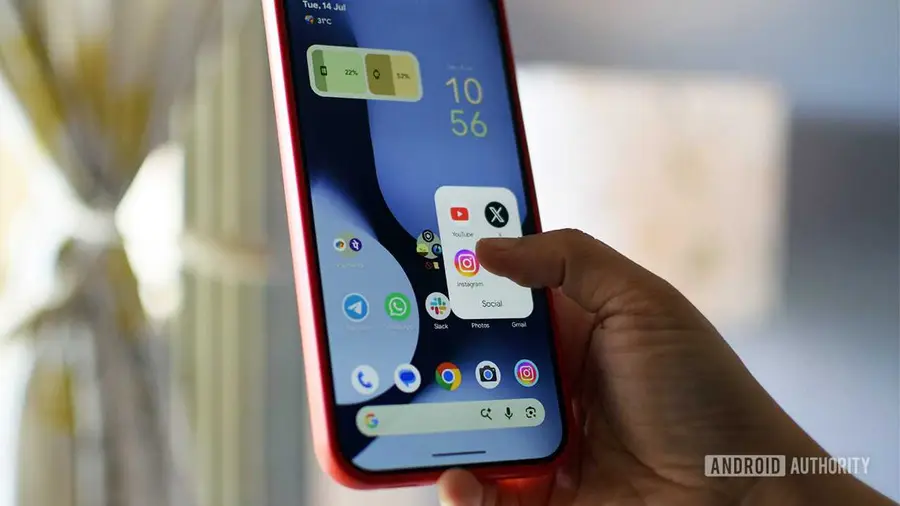
The first step in addressing smartphone overuse is recognizing that a problem exists. Start by identifying your primary distractions, which are often social media platforms like TikTok and Instagram. To create friction and make access to these apps less convenient, consider removing their shortcuts from your home screen. This method has been shown to reduce usage significantly, as the temptation to open these apps diminishes when they're not immediately visible.
Limiting Notifications from Distraction Apps
Another effective strategy is to manage notifications from the apps that tend to waste your time. Android allows you to customize notifications by long-pressing the app icon and selecting the 'i' symbol, where you can adjust which notifications to receive or block entirely. This helps reduce the chances of being distracted by non-essential alerts, allowing you to focus on more important notifications instead.
Utilizing Android's Digital Wellbeing Tools
Android offers a suite of Digital Wellbeing tools designed to help users manage their app usage effectively. To access these features, navigate to the Digital Wellbeing section in your Settings app. Here, you can find various options like App Timer, which allows you to set daily limits for app usage. Although not foolproof, it provides a visual reminder of how long you've been using an app.
- Focus Mode: This feature enables you to select multiple apps and set a schedule for usage limits throughout the week. It allows for some flexibility, letting you use paused apps for a brief period.
- Screen Time Reminders: This option gives you notifications about your app usage time without restricting access, helping you maintain awareness of your habits.
If these built-in tools don't suffice, consider third-party applications designed to combat smartphone addiction.
Exploring Third-Party Apps for Enhanced Control
One such app is One Sec, which prompts you to take a moment before continuing to use an app, similar to Pause Point. It also provides usage statistics for a reality check. Another option is ScrollGuard, which helps prevent accessing infinite scroll features in social media apps, making it harder to get lost in endless content. Lastly, Forest gamifies focus sessions by rewarding you for staying off your phone with virtual tree growth.
As smartphone addiction continues to be a growing concern, manufacturers are developing various solutions to help users manage their screen time effectively. With tools like Pause Point on the horizon, it's essential to implement strategies now to minimize distraction and improve your overall digital wellbeing.
Source: https://www.androidauthority.com/how-to-replicate-android-17-pause-point-right-now-3687961/