As someone who spends a significant amount of time documenting ideas, thoughts, and information, I have always been particular about the note-taking apps I utilize. For quite a while, my preferred system involved two applications: Simplenote for quick notes and Obsidian for more structured entries. However, I recently began searching for a substitute for Simplenote, as its simplicity, once a strength, began to feel restrictive.
Making the Switch to Notesnook
After testing various popular note-taking solutions, I found that Notesnook resonated with my requirements the most. I have since adopted Notesnook as my primary note-taking application, and I regret not switching sooner.
Key Features of Notesnook
What distinguishes Notesnook in the crowded note-taking arena is its end-to-end encryption and a robust free plan. This encryption guarantees that your notes remain confidential, whether they are stored on your device or on Notesnook's servers. Additionally, the free plan is one of the most comprehensive I have encountered in the note-taking domain, offering essential features and seamless synchronization across all devices, eliminating the need for tedious workarounds, unlike Obsidian. Another advantage is that, unlike Notion, Notesnook supports a fully operational offline mode, allowing you to view, edit, search, and organize notes without an internet connection.
Privacy and Security
Privacy is a core focus for Notesnook. Unlike many other note-taking apps, it keeps your notes encrypted at all times, ensuring that they cannot be accessed by anyone, including the Notesnook team. This level of security is particularly appealing to me, as I frequently record personal and work-related information. Knowing that my notes are secure is incredibly reassuring.
Enhanced Note Organization and Formatting
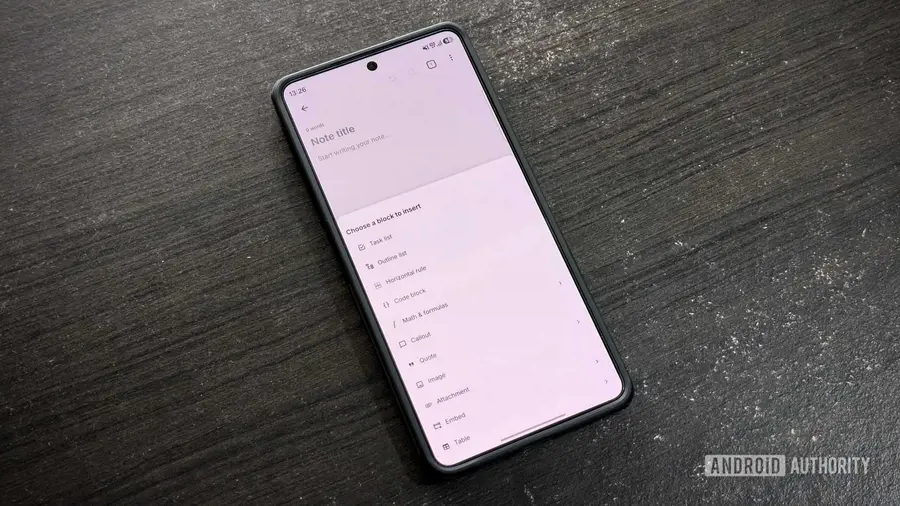
Notesnook also excels in supporting rich media attachments, allowing you to insert images and files—such as PDFs, audio clips, and receipts—directly into your notes. This feature proves to be invaluable for research, planning, and maintaining various records. Furthermore, the organization of notes is significantly improved in Notesnook compared to Simplenote; it offers notebooks, which function like folders to group related notes, making retrieval easier. Each notebook can also contain sub-notebooks, enabling a more hierarchical structure.
When it comes to text formatting, Notesnook surpasses Simplenote by providing a variety of essential styling options, including bold, italic, underline, and more. The availability of tables simplifies comparisons and project tracking, enhancing overall data comprehension.
Considerations and Shortcomings
Although I have only been using Notesnook for a couple of weeks, I do find myself missing certain aspects of Simplenote. For instance, Simplenote's lightweight interface offers rapid note access and a straightforward user experience. Additionally, I miss the full Markdown support that Simplenote provides. In Notesnook, Markdown tags are rendered into rich text, and this feature is not available in the free tier, requiring a paid plan for full access.
Another limitation is the local nature of note history syncing in Notesnook. While it allows you to view a note's revision history, it does not sync changes across devices, which is a significant difference from Simplenote's seamless syncing capability. Finally, I miss Simplenote's collaboration feature, which facilitates real-time edits among users. This is a highly requested feature within the Notesnook community.
Conclusion
Despite missing a few features from Simplenote, the advantages offered by Notesnook make it a more fitting choice for my note-taking needs. I have even started using it for more permanent notes and transferred some entries from Obsidian. However, I do not plan to replace Obsidian entirely, as it remains one of the best apps for managing databases and knowledge bases, offering unique features like a knowledge graph and extensive plugin support.
Source: https://www.androidauthority.com/notesnook-open-source-notes-app-hands-on-3682208/