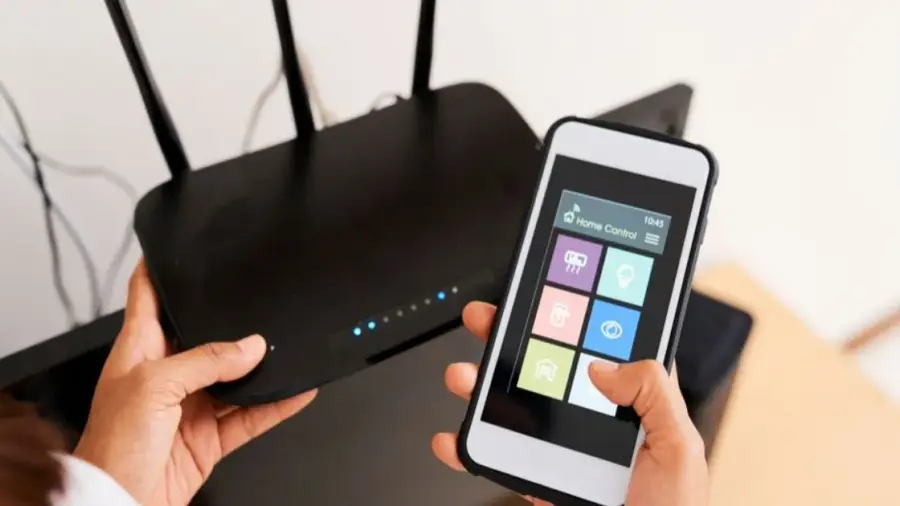
Extreme heat can affect not just people but also your smart home devices. High temperatures can lead to overheating, which may result in reduced performance or even permanent damage to your devices.
According to Michael Fernandes, a tech expert from Tapo, devices positioned near windows or exposed to direct sunlight are at the highest risk. "Glass can significantly intensify heat indoors," he notes. This issue affects not only security cameras but also smart hubs, smart plugs, and indoor cameras.
If your smart home devices begin to lag, frequently disconnect from Wi-Fi, or restart unexpectedly, these may be signs of overheating. Such conditions not only disrupt your comfort but can also hasten battery degradation, shortening the lifespan of your devices.
1. Keep Devices Away from Direct Sunlight
The first and most crucial step is to relocate your smart home devices away from direct sunlight. Devices near windows are especially vulnerable due to the greenhouse effect created by glass.
Additionally, hubs and plugs placed in warm areas, such as near radiators or in kitchens, can face issues during the summer months, even without direct sunlight. Use curtains or shades to minimize excess heat and help keep your rooms cool.
2. Ensure Adequate Ventilation
Avoid placing your smart home devices in cramped spaces without good airflow. Without sufficient ventilation, heat can build up quickly, leading to overheating.
When devices overheat, you may notice a decline in performance, such as slower operation, disconnections from Wi-Fi, or unexpected restarts. According to Fernandes, "In addition to affecting performance, heat can also speed up battery degradation and shorten the overall lifespan of the device."
3. Turn Off When Not in Use
Leaving electronic devices in standby mode during hot weather should be avoided. Always turn off and unplug your smart home devices when they are not in use.
This simple action not only helps prevent overheating but can also conserve battery life by reducing the load on the devices. "Smart home devices are designed to handle a reasonable temperature range, but extra care during heat waves can help mitigate performance issues," Fernandes advises.
Monitor Operating Temperature
It’s also wise to check the specified operating temperature range for your devices. By following these three straightforward steps, you can ensure that your smart home devices remain functional and last longer, even in extreme heat conditions.
Source: https://telset.id/how-to/3-tips-mencegah-smart-home-overheat-saat-cuaca-panas