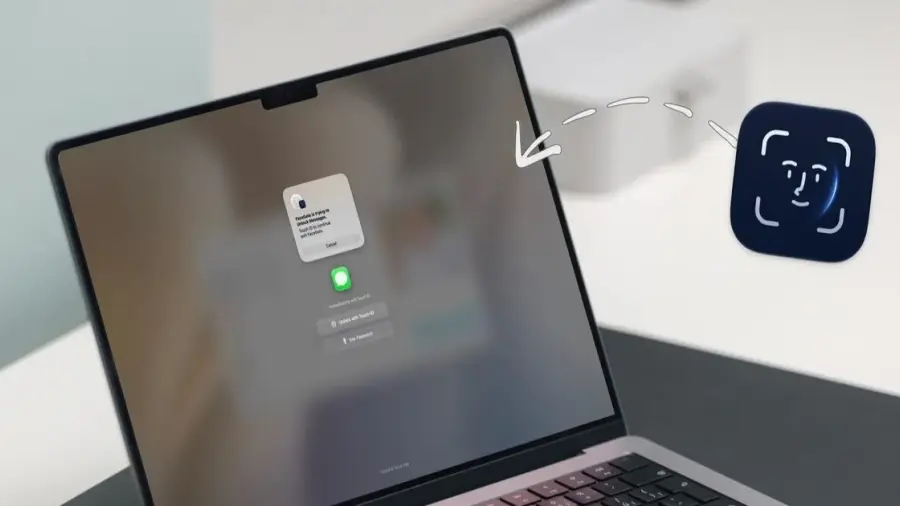
With the introduction of FaceGate, Mac users now have the ability to secure individual applications using Face Unlock. This free, open-source application provides a reliable way to protect your privacy when lending your device to others, addressing a need that has existed for iOS users but was missing in macOS.
Why Use FaceGate?
When you lend your Mac to a friend or colleague, your personal information in applications such as Messages, Photos, Notes, Mail, WhatsApp, and web browsers can be at risk. FaceGate solves this issue by allowing users to lock specific applications instead of the entire system. Best of all, it operates completely offline.
How to Install FaceGate
Installing FaceGate is a straightforward process and can be done in three different ways. The simplest method involves using an automated script through the Terminal. To do this, open Terminal and run the installation command from the official FaceGate website. The script will automatically download, verify, and set up the application for you.
The second method is to download the DMG file from the GitHub release page. Since the application isn't signed with a paid Apple Developer certificate, you will need to execute a Terminal command to prevent macOS's Gatekeeper from blocking it.
For Homebrew users, the third option is to install FaceGate using the Homebrew cask. However, you’ll still need to run a command to remove the quarantine flag, as this option is no longer supported in the latest versions of Homebrew.
Features of FaceGate
One standout feature of FaceGate is its Face Unlock capability, which is unique among Mac locking applications. It utilizes a software-based facial recognition pipeline that operates directly on the Neural Engine of Apple Silicon Macs. This process is entirely offline, requiring no internet connection.
To ensure that unauthorized access via photos or videos is prevented, FaceGate includes head positioning challenges, such as tilting or turning your head. However, since Macs lack Face ID hardware, this software-based approach may not be as robust as the genuine Face ID technology. For enhanced security, users are encouraged to utilize Touch ID when available, or fallback to a password if neither method is feasible.
Customizing Your Security Settings
FaceGate offers detailed controls, allowing users to set how long an application remains open after use, with options ranging from indefinite access to automatic locking when switching apps or closing them. Additionally, the application supports custom schedules for automatic locking or unlocking at specified times.
The application will automatically lock itself when the Mac goes to sleep, wakes up, or when the screen is locked, ensuring that users are always protected when stepping away from their devices.
Privacy and Security with FaceGate
One of the significant advantages of FaceGate is its tamper protection feature. Users can configure the application to prevent it from being stopped, disabled, or deleted without administrator authentication. This mechanism helps maintain security against attempts to bypass the locking system. FaceGate also supports multi-display setups, ensuring that locked applications remain secure across all screens.
From a privacy perspective, FaceGate processes everything locally, meaning there is no telemetry, account requirements, or subscription fees. Facial data is encrypted using AES-256-GCM, while password hashes are stored securely in the macOS Keychain. Users can also delete facial data if they decide to stop using the feature.
FaceGate stands out as the first application to offer Face Unlock capabilities for Mac, all while being free of advertisements. For those looking to safeguard individual applications without locking down the entire Mac, FaceGate is definitely worth considering.
In a digital age increasingly vulnerable to data misuse, tools like FaceGate are crucial. This aligns with broader initiatives to promote safety and privacy in the digital landscape.
Source: https://telset.id/how-to/facegate-buka-kunci-aplikasi-mac-dengan-face-unlock-gratis