Understanding the correct positioning of your router's antennas is crucial for maximizing Wi-Fi signal strength and coverage in your home. Many users overlook this aspect, resulting in weak signals and dead zones. A few simple adjustments can significantly enhance your wireless network's reach.
Understanding Antenna Orientation
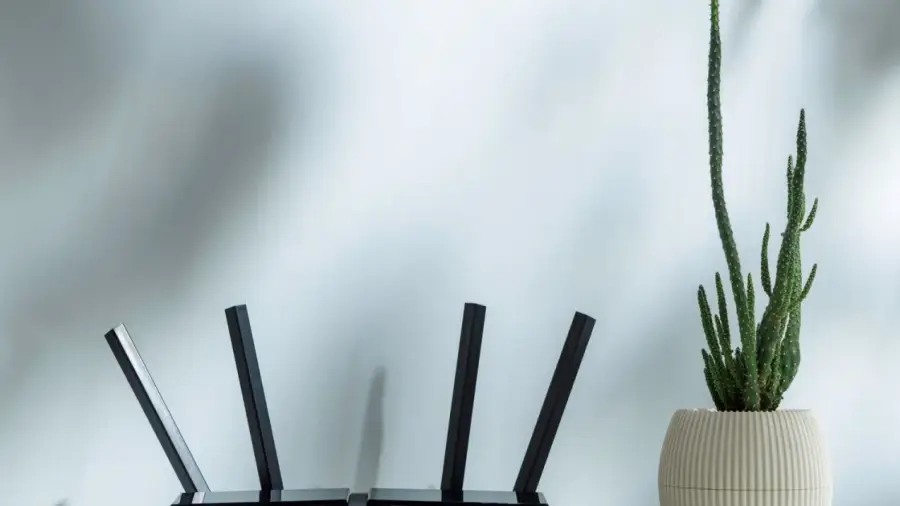
Most router antennas are designed to be omnidirectional, meaning they transmit signals in all directions. However, the strongest signal is emitted perpendicular to the antennas rather than parallel to them. For instance, when antennas are positioned vertically, they emit horizontal signals that effectively cover the floor where the router is located. Conversely, horizontal antennas are better suited for directing signals vertically, making them ideal for multi-story homes.
Utilizing Dual-Band and Tri-Band Routers
Modern dual-band routers operate on two frequencies simultaneously. The 2.4 GHz frequency offers broader coverage and better penetration through walls but at slower speeds, while the 5 GHz frequency provides faster speeds but has a shorter range and is more susceptible to physical obstructions. Some of the latest tri-band routers even operate on a 6 GHz frequency, delivering high speeds with minimal interference, though their range is not as extensive as the lower frequencies.
Best Practices for Router Placement
For those living in single-story homes or apartments, it’s advisable to position all antennas upright. This vertical arrangement ensures that the signal radiates horizontally, covering the entire living space. However, in multi-story homes, directing all antennas upward may lead to inadequate coverage on other floors. To address this, TP-Link suggests angling at least one antenna approximately 30 degrees. This slight tilt can help distribute signals both horizontally and vertically across the different levels of your home.
Considerations for Optimal Placement
The placement of your router is just as important as the orientation of its antennas. To achieve the best results, consider three key factors: central location, height from the ground, and nearby obstructions. Ideally, the router should be placed in a central location within your home. If it's positioned near an exterior wall, a significant portion of the signal may be wasted outdoors.
As for height, TP-Link recommends positioning the router between 1 to 1.5 feet (approximately 30 to 45 cm) above the ground. This height aligns the signal more effectively with most of your devices. Additionally, be mindful of common household items that can interfere with the Wi-Fi signal, such as microwave ovens, aquariums, Bluetooth devices, metal objects, and thick concrete walls. While it may not be feasible to have the router floating in the middle of your living room, considering these factors can help you find a more suitable location.
By combining thoughtful antenna positioning with strategic router placement, you can maximize the speed and reliability of your internet connection. Proper settings can reduce signal interference and enhance your browsing, streaming, and remote working experiences.
For further insights into device setup, consider exploring relevant articles about the latest features. Additionally, learn how to disable certain features on your devices for improved performance.
Source: https://telset.id/how-to/cara-posisi-antena-router-yang-benar-untuk-sinyal-maksimal