Mobile advertising has increasingly become a nuisance for Android users, presenting challenges that can lead to unwanted complications. Recently, I faced a wave of deceptive pop-up ads that seemed to blend seamlessly with legitimate notifications, making it difficult for less tech-savvy individuals to discern between them.
The Growing Problem of Mobile Ads
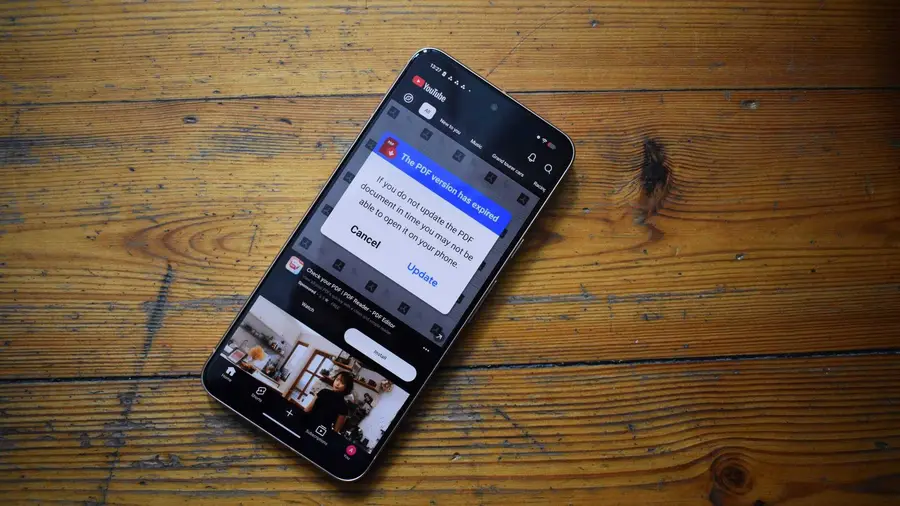
Take my father, for instance. He once fell victim to a misleading ad that tricked him into downloading fake PDF applications. This ad was cleverly disguised within a preinstalled office app, showcasing how even trusted apps can harbor risks. Recently, he shared a screenshot with me of an ad that claimed his PDF app was outdated, and to my surprise, it appeared on YouTube — a platform owned by Google.
This experience highlighted the need for proactive measures to protect my parents from similar incidents. Given their reliance on their devices for communication and financial activities, I sought a solution to ensure their online safety without compromising their user experience.
Why Ads Pose a Serious Threat
Although I understand the importance of advertising in sustaining online platforms, the rise of manipulative ads has made it essential to find ways to block them. Numerous reports on Reddit and personal anecdotes reveal that many users encounter ads designed to deceive and potentially harm them, including explicit content on family-friendly platforms like YouTube.
It’s clear that if companies cannot guarantee the quality and safety of the ads they distribute, a more comprehensive approach to ad blocking is necessary.
A Reliable Solution: NextDNS
With my parents living separately, I needed a flexible and effective solution. After thorough research, I decided to implement NextDNS, a trusted content filtering service I had previously discussed. NextDNS acts as a customizable digital barrier, allowing approved traffic while blocking unapproved content based on user-defined blocklists.
This service can be configured on any device that allows for a user-customizable DNS field, including smartphones, streaming devices, and computers. This adaptability makes it an ideal choice for managing ads across various platforms.
Setting Up NextDNS
NextDNS offers several advantages, including a generous allowance of 300,000 monthly DNS queries for free accounts, which is more than sufficient for my parents' usage. The real benefit lies in its individual user profiles, enabling a tailored experience for each family member.
Setting up NextDNS involves a few straightforward steps. Once their profiles are created, I provided my parents with the necessary DNS endpoint details to input in their Android Private DNS settings. This setup ensures their devices are protected from harmful ads effectively.
Ongoing Monitoring and Alternatives
While NextDNS is a robust solution, it’s important to note that it won't eliminate every ad, especially on platforms like YouTube that deliver ads from similar domains. For this reason, I recommend considering alternatives like YouTube Premium or utilizing ad-free applications such as SmartTube and Libretube for a safer viewing experience.
Moreover, I advise regularly reviewing their devices for any unfamiliar apps, scrutinizing app permissions, and uninstalling unnecessary applications. Tools like Canta and Shizuku can assist in managing app installations more effectively.
Ultimately, ensuring security on Android devices requires continuous effort and a multi-layered approach. Being vigilant about ads and their potential dangers is crucial to maintaining a safe online environment for family members.
As we navigate the complexities of mobile advertising, it’s vital to equip ourselves and our loved ones with the tools and knowledge needed to stay safe. Investing time in setting up protective measures can significantly enhance their overall smartphone experience.
Source: https://www.androidauthority.com/block-ads-on-android-for-parents-3687831/