Google Photos has long been a staple for managing and organizing your media files. With its recent updates, the platform aims to enhance user experience further, particularly with the introduction of a new feature called 'Pinned.' This functionality could significantly change how users interact with their media collections.
A Shift in Organization with Collections
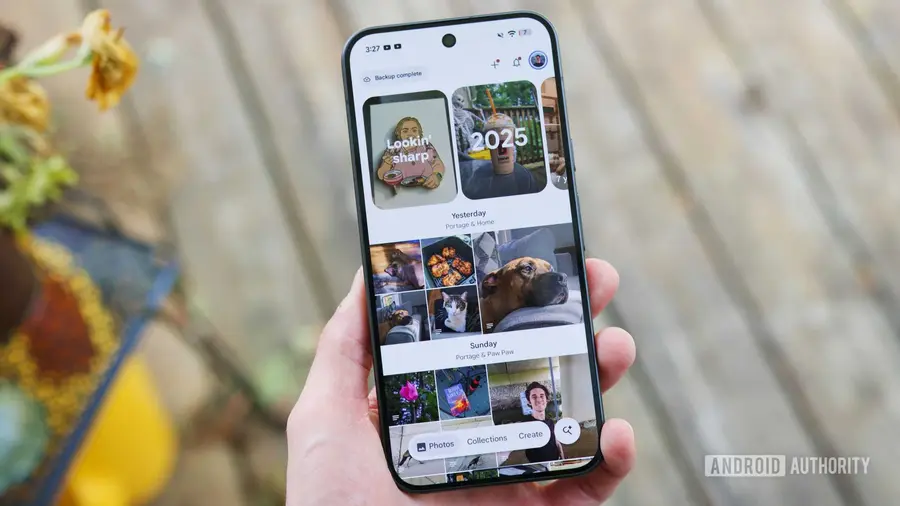
Initially, Google Photos transitioned from the classic Library view to a more streamlined Collections tab. This change was designed to provide a cleaner interface for organizing photos and videos. However, many users have found the layout somewhat inflexible, with Google automatically selecting which shortcuts to display prominently while relegating frequently used folders to obscurity.
Introducing the Pinned Feature
In the latest update of Google Photos, version 7.90, a new feature has been discovered that allows users to 'pin' their favorite albums, faces, and folders directly to the top of the Collections tab. This 'Pinned' feature aims to give users more control over their media organization by allowing them to customize what they see first when they open the app.
How the Pinned Functionality Works
During testing, users found that the Pinned feature operates smoothly. By long-pressing on any item within the Collections tab, a floating Pin option appears, allowing users to anchor that item to a new, horizontally scrollable row at the top of their feed. This could include anything from local folders like Movies to specific categories like Stickers.
Moreover, Google seems to be developing an interface that will help manage these pinned items effectively. An Edit button next to the Pinned header opens a management sheet where users can reorder their pinned items by dragging them into their preferred position or unpinning items they no longer wish to keep at the forefront.
Benefits of Enhanced Navigation
The management sheet below the pinned items categorizes the entire library into collapsible sections, such as Albums, On this device, People & pets, Places, Documents, and Other collections. Each category features one-tap Pin buttons, enabling quick access to shortcuts without navigating through various app menus.
This shift towards user-controlled navigation marks a significant usability improvement for Google Photos, allowing for a more personalized experience. While unreleased features can always be altered before their public launch, the current implementation of the Pinned feature appears polished and ready for a potential rollout.
In conclusion, if Google moves forward with this feature, it could greatly enhance how users manage and access their favorite media, making Google Photos an even more powerful tool for photo organization.
Source: https://www.androidauthority.com/google-photos-pinned-collections-apk-teardown-3703741/