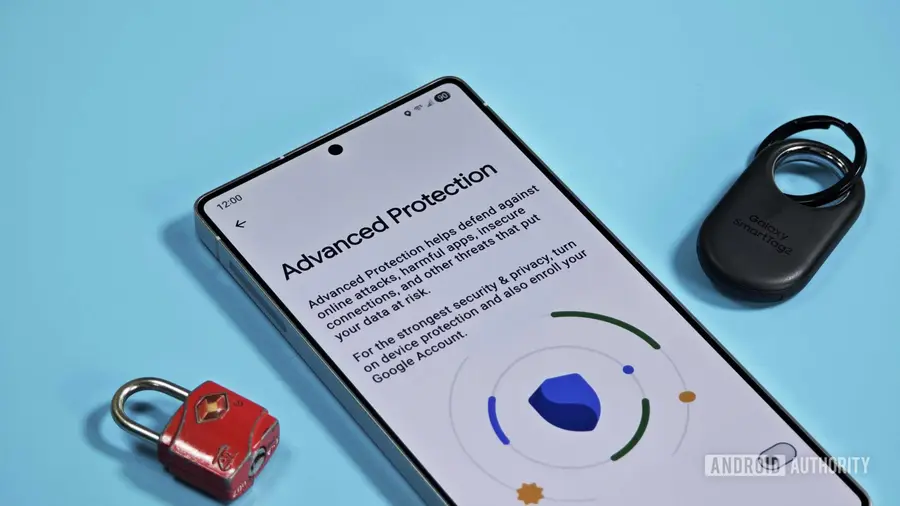
Google has been continuously improving the security features of Android, and recent developments suggest a new enhancement to the Advanced Protection Mode that could significantly ease user experience. This update, discovered within Google Play Services (version 26.30.31), aims to streamline the process for users requiring higher security measures.
Understanding Advanced Protection
Advanced Protection is tailored for users who face a greater risk of targeted attacks. Unlike standard security settings, which allow for more flexibility, Advanced Protection bundles multiple security measures into one comprehensive mode. However, this increased security comes with trade-offs, such as limiting certain Android functionalities.
Temporary Pause Feature
One of the notable restrictions imposed by Advanced Protection is the inability to sideload apps. Currently, users must disable the feature to install applications from sources outside the Google Play Store. Following the installation, they must remember to re-enable Advanced Protection manually. Fortunately, a recent teardown reveals that Google is working on a more user-friendly solution.
The unreleased version of the feature allows users to temporarily pause Advanced Protection instead of fully disabling it. When attempting to turn off the feature, Android will display a prompt informing users that:
- “While paused, device protection features will be turned off. They will automatically turn back on after 3 hours.”
Benefits of the New Feature
This enhancement means users can momentarily pause Advanced Protection to complete tasks that require it to be turned off, such as sideloading apps or troubleshooting. After three hours, Android will automatically reactivate all protective measures, minimizing the risk of leaving the device vulnerable.
While sideloading is the most apparent application for this feature, it also extends to other scenarios, such as:
- Testing software
- Using enterprise tools incompatible with Advanced Protection
- Accessing certain links or performing specific tasks
Future Implications and Timing
Although the release date for this feature remains uncertain, its timing aligns with Google's recent announcement regarding a new developer verification system. Set to initiate user-facing protections on September 30, 2026, and expand globally in 2027, this change will introduce a more restrictive installation process for apps from unverified developers.
While sideloading will still be possible, installing applications from unknown sources will require additional security verifications and prompts. As these changes unfold, Google's refinement of Advanced Protection appears to be a proactive measure aimed at enhancing user experience amidst the new security landscape.
Source: https://www.androidauthority.com/android-advanced-protection-pause-feature-3692635/